
MOT Matters
MOT Tester Annual Training & Assessment 2025 – Don’t Get Caught Out

It’s that time of year where the pressure builds on a busy MOT Centres to ensure their MOT Tester Annual Training and Assessment completed. We too often see DVSA Site Reviews criticising MOT Centres for leaving their MOT Tester Annual Training to the last minute.
See the example below.

How a Tester adds their MOT Tester Annual Training Notes to their DVSA MTS Profile
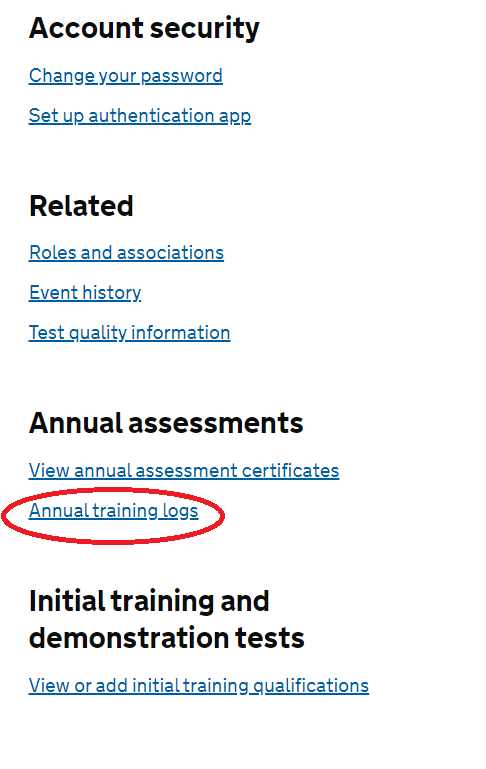
Step 1
The Testers must log into the MTS and click “annual training logs” from their profile
Step 2
Click “Add Training”

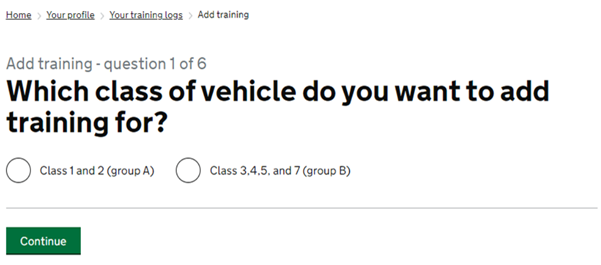
Step 3
Select the Training Group (Group A – Motorcycles or Group B – Passenger Vehicles)
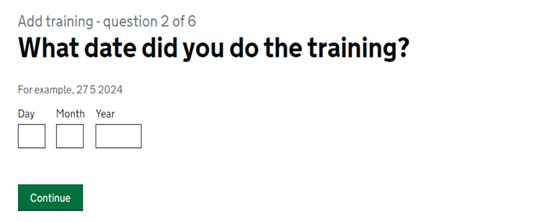
Step 4
Set the date you did the training
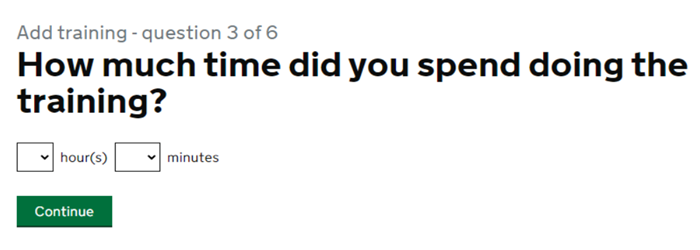
Step 5
Specify how long you spent on the training
Step 6
Which topics did you cover?
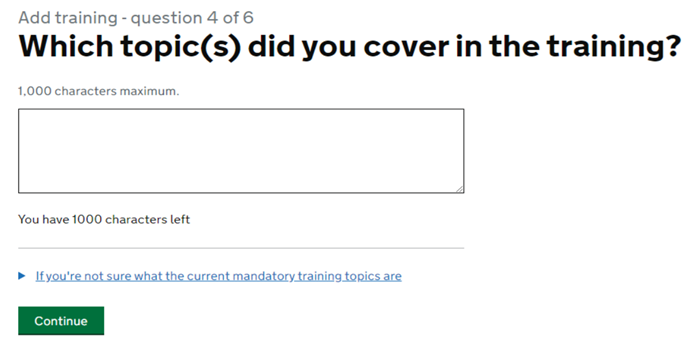
Step 7
Detail the type of training, eg. eLearning/Classroom/Self Training
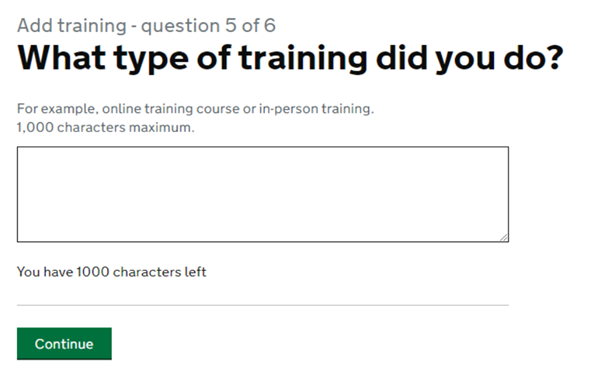
Step 8
Write some notes on what you learnt from the training
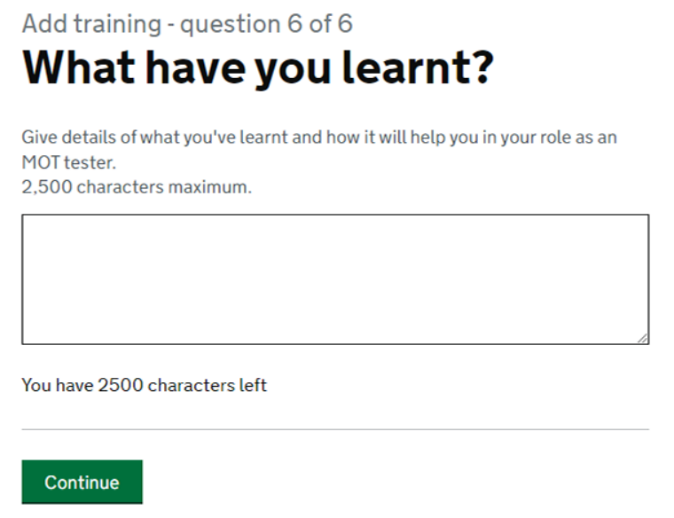
Step 9
Review & Submit your training.
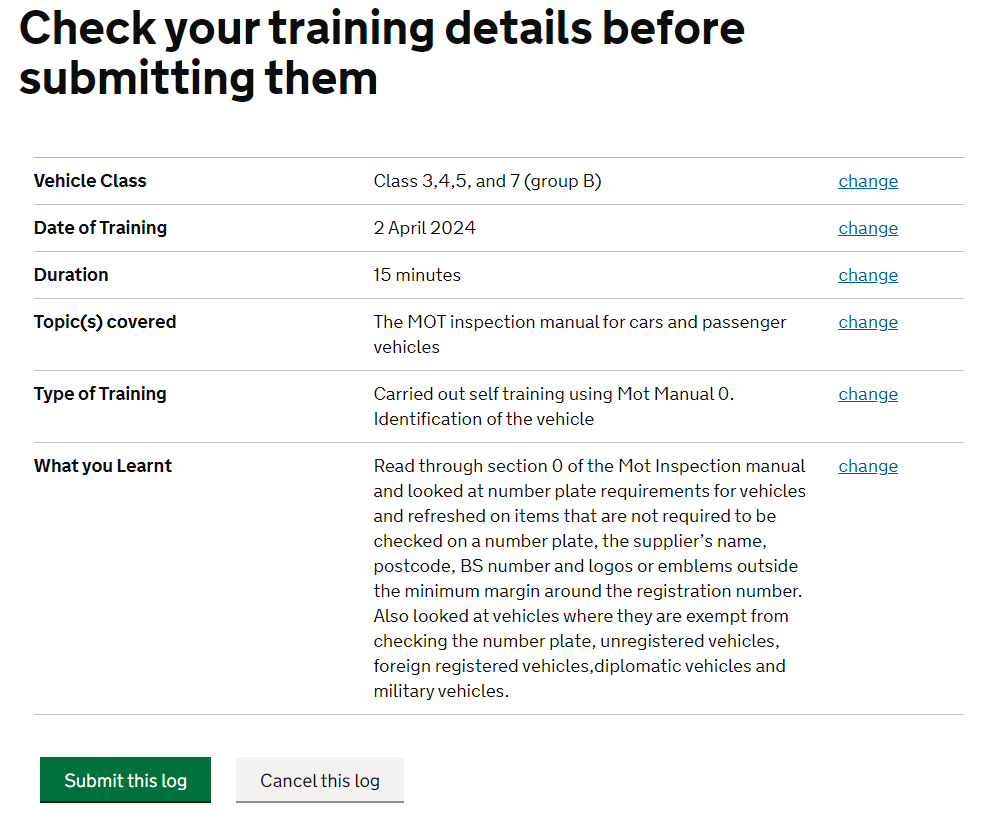
Final View
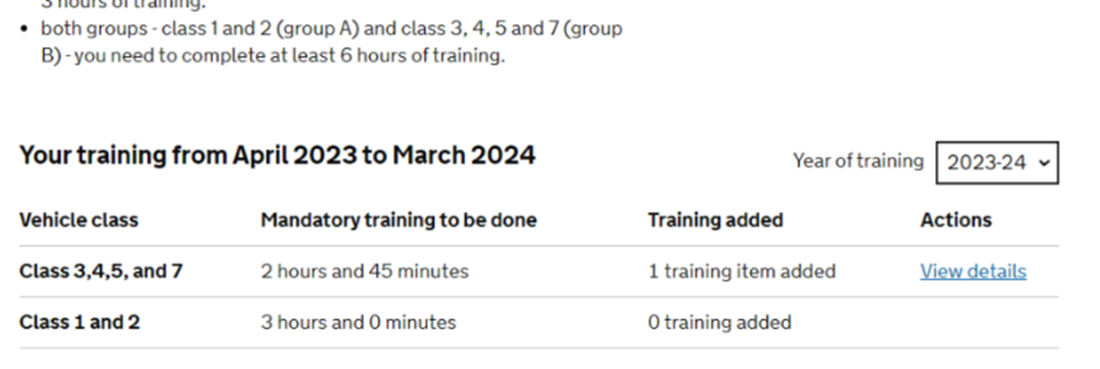
Actions Points:
- Make sure each tester has completed their 3 hours of training – covering the required topics – 2024-25 MOT Class 4 & 7 Topics
- Check each tester has passed the exam with a score of 80% or more.
- Importantly, make sure each Tester checks that their exam result has successfully uploaded to their DVSA MTS Profile. Site Manager can check this too.
- Make sure each tester has entered some training notes for each of the topics on their MTS DVSA Profile.
MOT Club SiteCheck & eLearning
The MOT Club SiteCheck compliance website and eLearning can help Dealer Groups and Independent garages manage this process effectively.
How does SiteCheck help:
- It automatically sends out the required eLearning to each of your Testers.
- It sends out reminders every month to encourage the tester to complete the training.
- You can monitor each tester’s progress using the training dashboard in SiteCheck and download reports for more detailed analysis.
- It automatically sends Exam links to the tester once the training is completed. Re-sits are automatically sent if the tester fails.
- The exam result is recorded in SiteCheck so you can review progress using the dashboards.
- The exam result is automatically uploaded to the MOT Tester’s DVSA MTS Profile.
- Testers can also back fill their training from previous years if they have worked for another employer and attach their training and exam certificates.
For more information get in touch with The MOT Club at info@themotclub.com or 01934 421335 – www.themotclub.com/

